

Mobile gaming has become one of the biggest entertainment trends in recent years. Millions of people install gaming apps every day for fun, rewards, and competition.
Among these gaming platforms, many users search for information about S9Game and wonder whether it is safe for their devices. One of the most common questions people ask is: can Super 9 Game have virus risk?
The answer depends on several factors. Not every gaming app is dangerous, but downloading apps from untrusted sources can create security problems.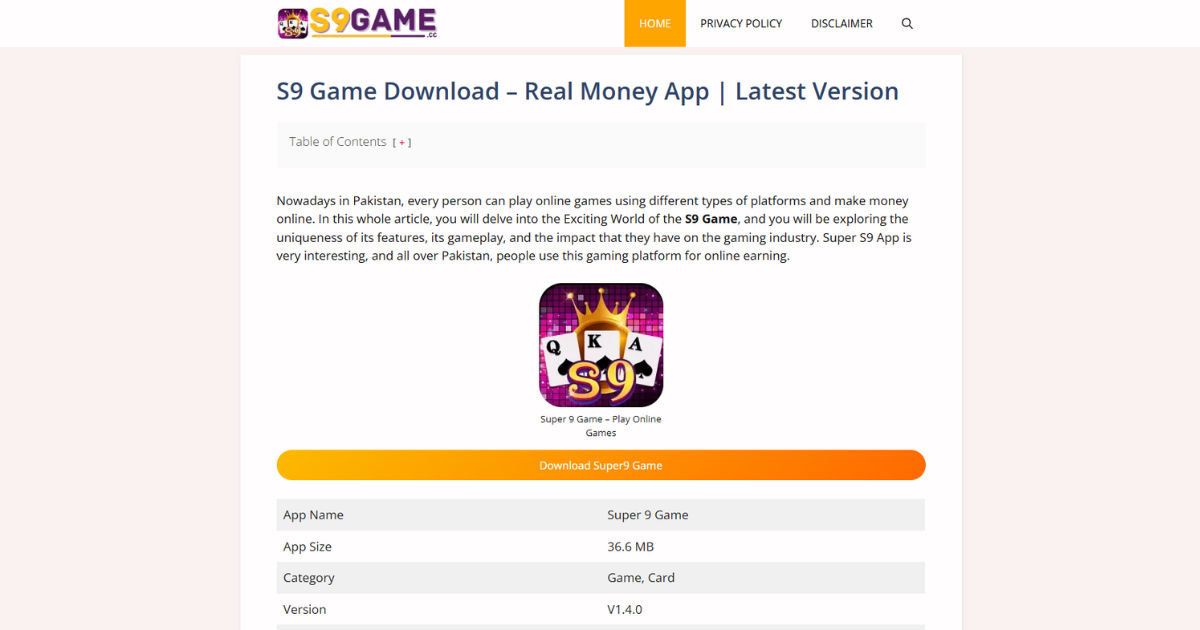
Many users install APK files from random websites without checking safety standards. This increases the chances of malware, spyware, and harmful software entering a phone.
Understanding virus risks is important because smartphones now store personal photos, banking apps, passwords, contacts, and private data.
If a malicious app infects a device, users may lose important information or experience financial problems. This is why learning about safe gaming habits matters.
In this detailed guide, we will explain how virus risks happen, how to recognize unsafe apps, how malware affects devices, and how users of S9Game can stay protected. The article is written in simple language so every reader can easily understand the topic.
Virus Risks in Mobile Gaming
Before discussing S9Game, it is important to understand what a virus risk actually means.
A virus is a type of harmful software designed to damage devices, steal information, slow performance, or control system functions without permission. In mobile gaming, viruses usually come through unsafe downloads, modified APK files, fake apps, or suspicious advertisements.
Mobile gaming apps can sometimes contain:
- Malware
- Spyware
- Trojan software
- Adware
- Data trackers
- Fake login pages
These threats may not always appear immediately. Some harmful files stay hidden while collecting user information in the background.
When people search for S9Game, they may find many unofficial download websites. This is where the main danger usually begins.
Why Gaming Apps Sometimes Carry Virus Risks
Gaming apps are popular targets for cybercriminals because millions of users download them quickly without carefully checking permissions or security warnings.
Here are some common reasons gaming apps may contain harmful software.
Downloading from Unofficial Sources
Many users search for APK files instead of using official app stores. Some websites modify the original file and insert malware into the package.
When users install these modified files, they may unknowingly allow harmful software into their phones.
This is one of the biggest risks associated with S9Game APK downloads from random platforms.
Fake Clones of Popular Apps
Cybercriminals often create fake copies of trending apps. The app name and icon may look almost identical to the original version.
These fake versions are designed to trick users into installing dangerous software.
Unsafe Advertisements
Some gaming platforms display aggressive ads or popups. Clicking suspicious advertisements may redirect users to harmful websites that attempt to install malware.
Excessive Permissions
Some apps ask for unnecessary permissions such as:
- Access to contacts
- Access to microphone
- Access to messages
- Access to storage
- Device administrator control
If a gaming app requests unrelated permissions, users should be cautious.
Can S9Game Actually Have Virus Risk?
The truth is that S9Game itself may not automatically contain viruses, but the risk depends on where and how the app is downloaded.
If users install the app from unofficial or unverified websites, there is always a possibility of downloading a modified version containing malware.
Virus risks increase when:
- APK files are downloaded from random websites
- Security warnings are ignored
- Antivirus protection is disabled
- Users install cracked versions
- Unknown permissions are accepted
Many online gaming platforms become targets for fake copies because scammers know users are actively searching for them.
Therefore, the biggest concern is often not the game itself but the unsafe sources distributing altered versions of the app.
Common Types of Malware Found in Gaming APKs
To better understand the risks, it helps to know the most common malware types found in mobile gaming apps.
Spyware
Spyware secretly monitors user activity. It may collect:
- Passwords
- Browsing history
- Banking details
- Login information
- Messages
Spyware often works silently in the background.
Adware
Adware floods devices with excessive advertisements. It may cause:
- Constant popups
- Browser redirects
- Battery drain
- Slow performance
Adware is common in fake gaming APK files.
Trojan Malware
A Trojan disguises itself as a normal app but performs harmful actions behind the scenes.
Trojan malware may:
- Steal information
- Install additional malware
- Access banking apps
- Record user activity
Ransomware
Although less common in gaming apps, ransomware can lock a device or encrypt files until money is paid.
Cryptocurrency Mining Malware
Some malicious apps secretly use device resources to mine cryptocurrency. This causes:
- Overheating
- Fast battery drain
- Slow performance
- High data usage
Warning Signs That an APK May Be Unsafe
Users interested in S9Game should know how to identify suspicious APK files before installation.
The File Comes from an Unknown Website
If the website looks unprofessional or filled with spam ads, users should avoid downloading files from it.
Too Many Permissions Are Requested
Gaming apps usually do not need access to messages, contacts, or phone calls.
The App Causes Phone Overheating
Malware often uses system resources heavily, causing overheating.
Sudden Battery Drain
If battery life suddenly decreases after installing an app, hidden processes may be running in the background.
Constant Popups
Frequent advertisements or redirects can indicate adware infection.
Slow Device Performance
Malicious software often slows down phones by consuming RAM and processing power.
Security Warnings Appear
Android devices may show warnings about unknown or harmful apps. These alerts should never be ignored.
How Cybercriminals Trick Gaming Users
Cybercriminals use psychological tricks to encourage users to install unsafe apps.
Promises of Free Rewards
Fake websites may promise:
- Free coins
- Unlimited rewards
- VIP access
- Bonus cash
- Premium features
These offers attract users into downloading infected files.
Fake Update Notifications
Some sites display messages claiming users need an urgent update for S9Game. These fake updates may contain malware.
Impersonating Official Sources
Scammers often copy logos, designs, and branding to appear trustworthy.
Limited-Time Offers
Urgency is a common trick. Users are pressured into downloading quickly without checking safety.
How Virus Infections Affect Smartphones
Many users underestimate the damage malware can cause. Virus infections may lead to serious problems.
Data Theft
Hackers may steal:
- Passwords
- Banking information
- Photos
- Emails
- Social media accounts
Financial Loss
Some malware accesses banking apps or payment systems.
Identity Theft
Personal information may be used for scams or fake accounts.
Device Damage
Malware can overload systems and damage phone performance over time.
Privacy Violations
Spyware can secretly monitor user activity and conversations.
Is Android More Vulnerable Than iPhone?
Most APK-based risks affect Android users because Android allows installation from third-party sources.
Apple devices have stricter security controls, making malware infections less common.
However, no device is completely immune.
Android users searching for S9Game APK downloads should be especially careful because Android allows sideloading apps outside official stores.
Safe Ways to Download Gaming Apps
Users can reduce risks significantly by following proper safety practices.
Use Official App Stores
Official stores usually scan apps for malware before publishing them.
Check Reviews and Ratings
User reviews may reveal security concerns or suspicious behavior.
Avoid Cracked Versions
Modified apps often contain malware.
Use Antivirus Protection
Mobile antivirus apps can detect harmful software before installation.
Keep Software Updated
System updates often fix security vulnerabilities.
Verify Website Security
Secure websites usually use HTTPS encryption.
Why APK Files Carry Higher Risk
APK files themselves are not always dangerous. APK simply means Android Package Kit.
However, APK files from unofficial websites are riskier because they bypass app store security checks.
When users search for S9Game APK files online, they may encounter:
- Fake mirrors
- Modified files
- Malware-injected packages
- Scam download pages
This is why downloading carefully is essential.
How to Scan an APK Before Installing
Users can improve safety by scanning files before installation.
Use Antivirus Apps
Reliable antivirus software can scan downloaded APK files.
Check File Size
Unusually small or large files may indicate tampering.
Verify Digital Signatures
Authentic apps often have verified developer signatures.
Research the Source
Search for reviews or discussions about the website providing the APK.
The Role of Permissions in App Security
Permissions determine what an app can access on a device.
When installing S9Game, users should review permissions carefully.
Normal gaming apps may require:
- Internet access
- Storage access
- Basic notifications
Suspicious permissions include:
- SMS access
- Contact access
- Microphone access
- Accessibility controls
If permissions seem unrelated to gaming, caution is necessary.
Can Antivirus Apps Fully Protect Users?
Antivirus software helps but cannot guarantee complete protection.
Some new malware versions avoid detection temporarily.
Antivirus apps work best when combined with smart user behavior.
Best Security Habits Include
- Avoiding suspicious downloads
- Checking permissions
- Updating devices
- Using strong passwords
- Enabling two-factor authentication
How Fake Gaming Apps Spread Online
Fake apps spread rapidly through:
- Social media links
- Messaging groups
- Spam websites
- Video descriptions
- Online advertisements
Many fake promotions specifically target users searching for popular gaming platforms like S9Game.
What to Do If You Suspect Malware Infection
If a phone behaves strangely after installing an app, users should act quickly.
Uninstall Suspicious Apps
Remove recently installed unknown apps immediately.
Run Antivirus Scans
Use trusted security software to scan the device.
Change Passwords
Important account passwords should be updated.
Monitor Banking Activity
Check for unauthorized transactions.
Reset the Device if Necessary
Factory resets may remove stubborn malware infections.
Importance of User Awareness
Technology alone cannot stop every cyber threat. User awareness is one of the strongest forms of protection.
Many malware infections happen because users:
- Ignore warnings
- Download from unsafe sources
- Click suspicious links
- Trust fake promotions
Learning safe habits reduces risks dramatically.
Are Online Gaming Communities Helpful?
Gaming communities can help users identify scams and fake apps.
Users often share experiences about:
- Unsafe websites
- Fake APKs
- Security problems
- Scam advertisements
Checking community discussions may help users avoid dangerous downloads related to S9Game.
How Malware Developers Make Money
Cybercriminals create malicious apps for financial gain.
Common profit methods include:
Ad Fraud
Generating fake advertisement clicks.
Data Selling
Selling stolen information on illegal markets.
Banking Theft
Stealing payment credentials.
Subscription Scams
Signing users up for hidden paid services.
Cryptocurrency Mining
Using infected devices to generate digital currency.
The Psychological Side of Download Scams
Scammers understand human behavior well.
They often target emotions such as:
- Excitement
- Curiosity
- Greed
- Urgency
- Fear of missing out
This is why many fake gaming promotions promise huge rewards or exclusive access.
Why Young Users Are Often More Vulnerable
Teenagers and younger gamers sometimes install apps quickly without checking security details.
Common reasons include:
- Limited cybersecurity knowledge
- Trust in online influencers
- Desire for free rewards
- Lack of caution with permissions
Education about digital safety is very important for younger users interested in platforms like S9Game.
Security Features Modern Phones Provide
Modern smartphones include built-in security tools.
Google Play Protect
Android devices often include malware scanning features.
App Sandboxing
Apps are isolated to reduce system damage.
Permission Controls
Users can manually approve or deny permissions.
Security Updates
Regular updates fix known vulnerabilities.
Even with these protections, user caution remains essential.
Myths About Mobile Viruses
Many myths exist regarding mobile security.
Myth 1: Phones Cannot Get Viruses
Smartphones absolutely can be infected with malware.
Myth 2: Only Cheap Phones Are Targeted
Any device can become infected if unsafe files are installed.
Myth 3: Antivirus Apps Solve Everything
Antivirus tools help but do not replace safe behavior.
Myth 4: Popular Apps Are Always Safe
Even popular apps may have fake copies online.
Best Practices for Safe Mobile Gaming
Users who enjoy mobile gaming should follow these important safety tips.
Download Carefully
Only use trusted sources.
Avoid Suspicious Links
Do not click unknown promotions.
Use Strong Passwords
Protect gaming accounts with secure passwords.
Enable Two-Factor Authentication
Extra login security reduces hacking risks.
Update Apps Regularly
Updates often improve security.
Read User Reviews
Reviews may expose problems early.
Limit Permissions
Only allow permissions necessary for gameplay.
How Parents Can Protect Children
Parents can help younger users stay safe online.
Teach Safe Download Habits
Children should understand why unofficial downloads are risky.
Use Parental Controls
Device settings can restrict unsafe installations.
Monitor App Permissions
Parents should review what apps can access.
Encourage Open Communication
Children should feel comfortable reporting suspicious activity.
Can Virus Risks Be Completely Eliminated?
No online activity is completely risk-free. However, risks can be reduced significantly through smart behavior and proper security practices.
Most malware infections happen due to unsafe downloads or careless actions.
Users who carefully verify sources and avoid suspicious files are much safer.
Final Thoughts on S9Game Virus Risk
The question “Can Super 9 Game have virus risk?” does not have a simple yes-or-no answer. The main issue is usually not the game itself but where the app is downloaded from and how users interact with online content.
When users download S9Game from untrusted websites, install modified APKs, or ignore security warnings, the chances of malware infection increase. Fake versions, hidden spyware, adware, and malicious software are real dangers in the mobile gaming world.
At the same time, users who practice safe digital habits can reduce risks greatly. Using trusted sources, reviewing permissions carefully, installing antivirus protection, and staying informed about scams are all important steps for safer gaming.
Mobile security is becoming more important every year because smartphones contain valuable personal information. Understanding cyber risks helps users make smarter decisions and enjoy gaming more safely.
The best protection is a combination of awareness, caution, and responsible downloading habits. By staying alert and avoiding suspicious files, users interested in S9Game can lower the chances of virus infections and protect both their devices and personal data.